CREATE YOUR FAMILY TREE
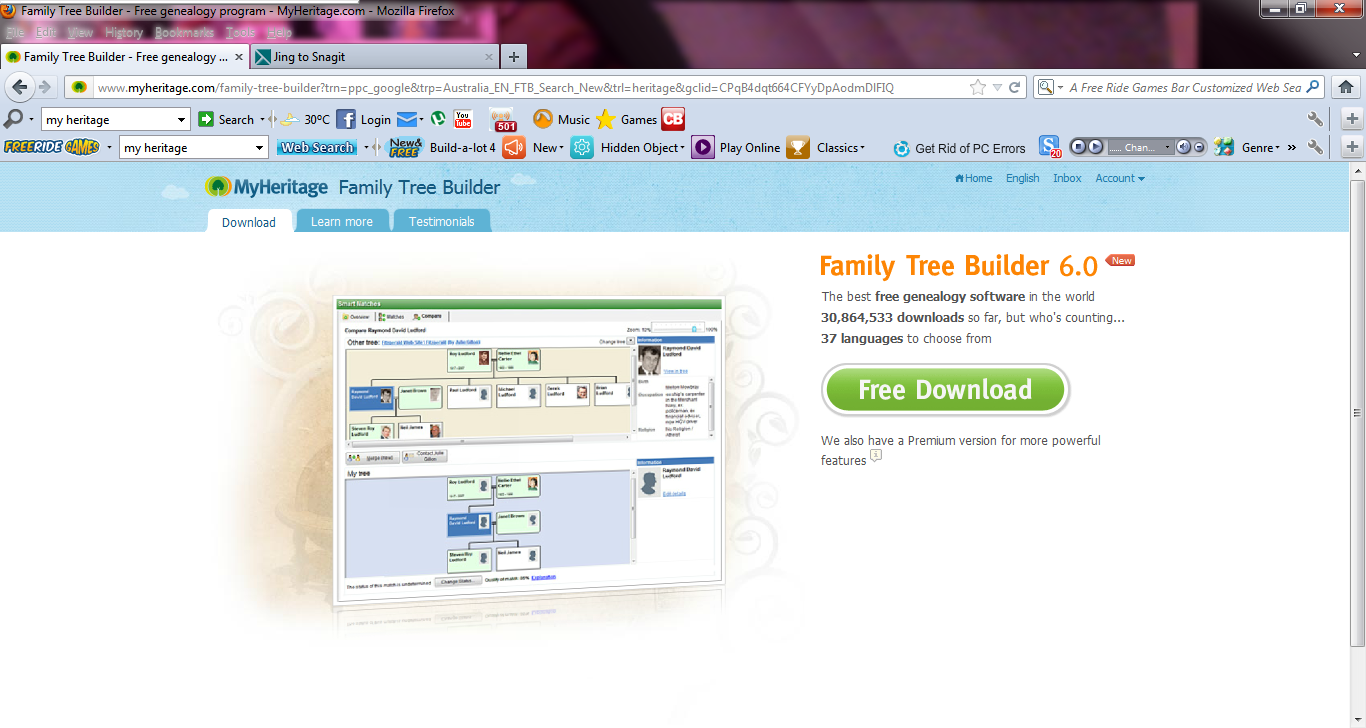
The social network I have chosen to create for my assignment 1b is a family tree. After researching many different applications this is the one I was most interested in. I feel that I could use this site for many years to come, and I can share this with my friends and family, as family is very important to me. As you go further and further down your family line it brings more and more history along with it, and quite often learning many things that you didn't know about. The web application I am going to use is www.myheritage.com . On this site you not only can create your family tree and go back many decades , but you can also invite family and friends to join your site and you can add photo's to your collection of findings.
Best of all you can create a book report which gives the run down of the whole family with names, dates and photo's, which looks great when put together, as it can be used for family reunions or any other special occasions. Although my favorite thing about this application is that you can choose to be sent an email about any special events coming up, so you don't have an excuse to miss anyone's birthday, as somethmes I am a bit forgetful. But have a look for yourself as there are many more things you can do on this site, and I hope you find it as interesting as I have.
Best of all you can create a book report which gives the run down of the whole family with names, dates and photo's, which looks great when put together, as it can be used for family reunions or any other special occasions. Although my favorite thing about this application is that you can choose to be sent an email about any special events coming up, so you don't have an excuse to miss anyone's birthday, as somethmes I am a bit forgetful. But have a look for yourself as there are many more things you can do on this site, and I hope you find it as interesting as I have.
Step 1 : Go to your search bar and put this URL into the browser www.myheritage.com
Step 2 : Click on 'free download'
Step 2 : Click on 'free download'
Step 3 : A window will open, click on 'save file', then wait for this to download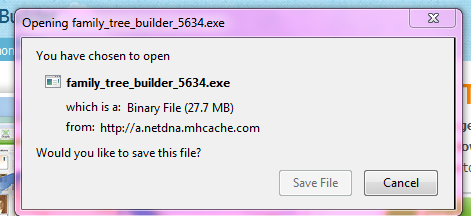
Step 4 : Then your computer will ask you if you want the following program to make changes to your computer, click 'yes'
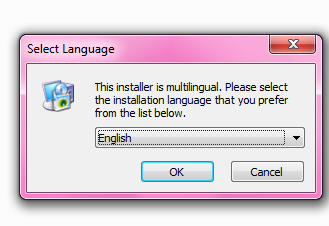
Step 5 : Then it will ask you to select a language
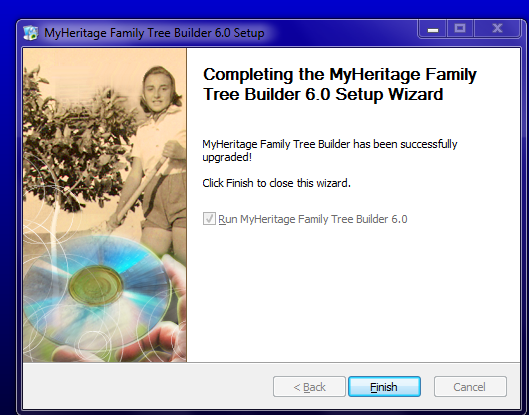
Step 6 : Wait for the my heritage website program to install, then press 'finish'
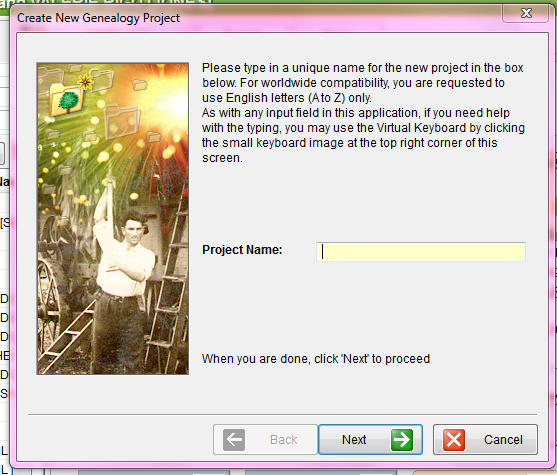
Step 7 : Then it will ask you to put in a project name, you can call it whatever you like, then press 'next'
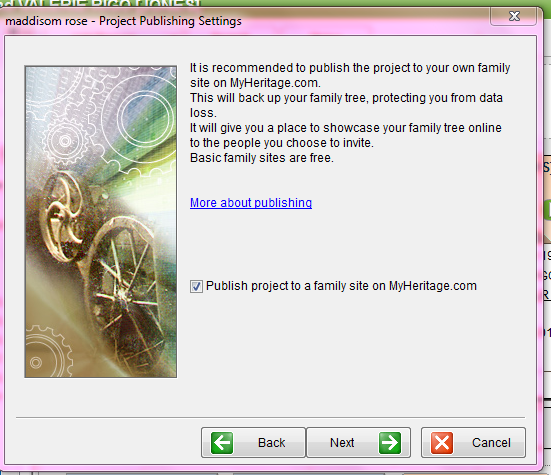
Step 8 : Next it will tell you to publish your site, so you don't loose all your data, then press 'next'
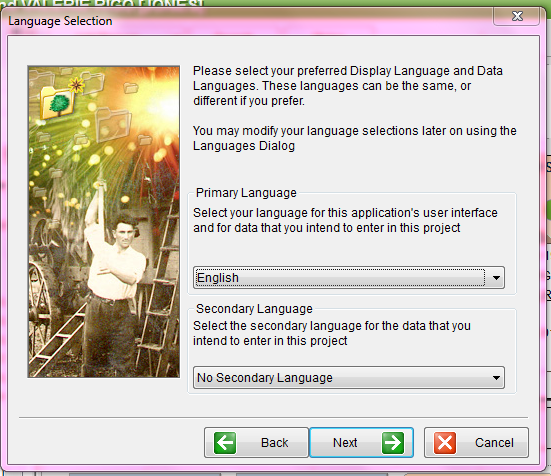
Step 9 : Then you need to select your preferred language, then press 'next'
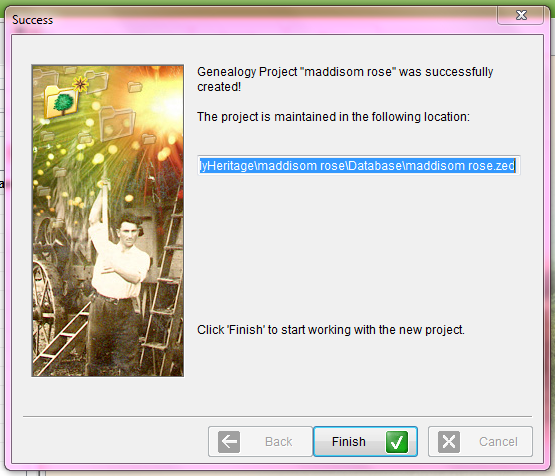
Step 10 : Your project has now been created, click 'finish' to start working on your project
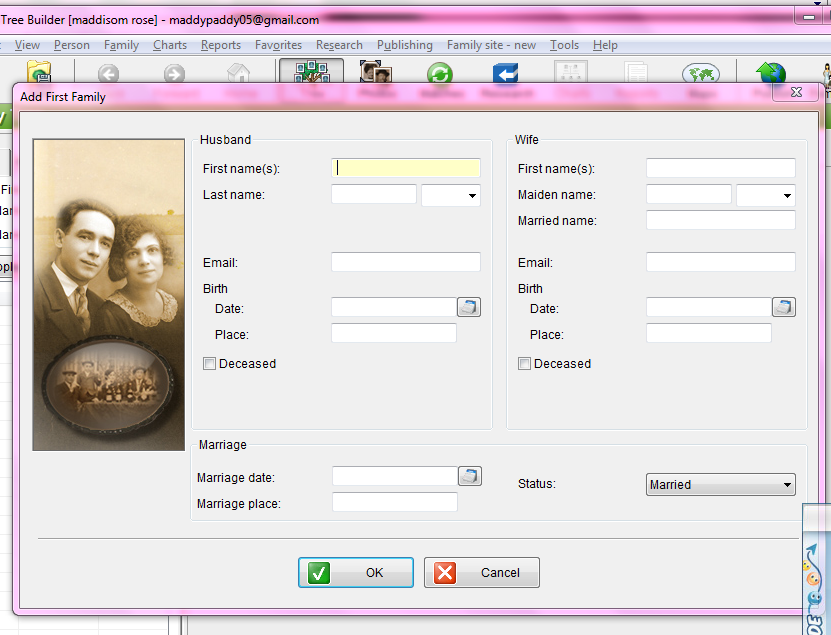
Step 11 : Click on 'add family' to begin, they suggest to begin with your own family first then build on from there.
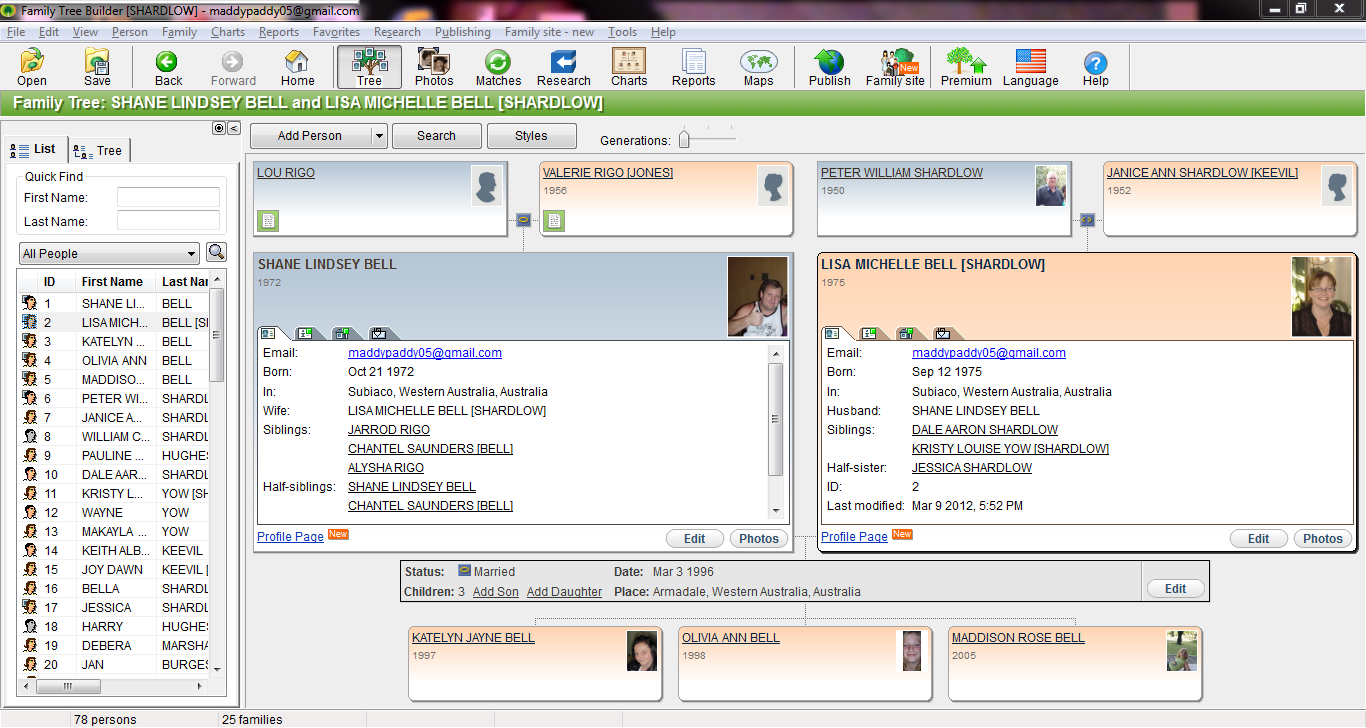
Step 12 : eventually your family tree will look like the one I have created myself
THINGS YOU CAN DO ON THIS SITE
- You can add photos to your site by clicking in the picture sign and uploading a picture of your choice
- Create charts and posters of a particular family, print them for special occasions
- Create a group sheet of your family with all your information
- You can invite family members or even friends to join your site, so then they can add any additional information to your family tree
- There is a world map where you can mark special events onto
- Remember to publish your site to the web, so anyone can give you additional information, the site can match other information to yours
- You can make a timeline with births, deaths and marriages
- The one I love the most is they will email you when it's someone's special day
- You can create a seperate page with address and email
- A great idea is it will create a book report which gives you the run down of all your family and their information and who's related to who with photo's, looks great !
YOU ARE NOW A PROUD OWNER OF A FAMILY TREE WHICH YOU CAN KEEP ADDING ON TO FOR MANY YEARS
